
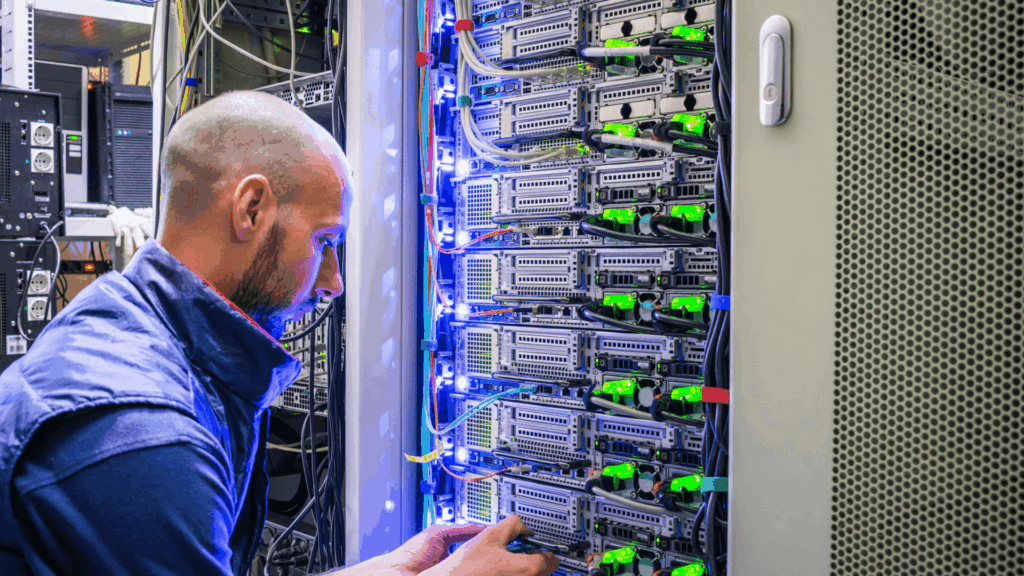
Optimize Your Server Rack Setup to Save Time and Money
Don’t let a poorly configured server rack disrupt your operations. Understanding the nuances of your server rack power setup can prevent unnecessary expenses and inefficiencies. Whether managing a single server rack or multiple units, ensuring a proper configuration is key. Here are some crucial steps to optimize your server rack:
Determining Power Needs
Accurate knowledge of your server rack’s power needs is foundational. Incorrect power setups lead to underperformance and wasted resources. Start by evaluating the power requirements based on your existing power sources. Ensure your rack PDU can meet these demands by following these steps:
- Inspect each device’s manual or rear panel for amperage and voltage, and sum these for your rack’s total power load.
- Add an extra 20% to accommodate future expansions.
- Decide on redundancy requirements to determine if dual power feeds are necessary.
- Identify the voltage and phase available to your rack.
Ensure your chosen rPDU aligns with the physical specifics of your server rack, including:
- Compatible input/output receptacles and plugs.
- Sufficient space for your equipment.
- Appropriate mounting options.
- Advanced features like remote monitoring and environmental sensors, if needed.
Selecting the Correct Equipment
Picking the right equipment is crucial to avoid failures. It’s more than meeting power demands; it’s about ensuring every component, like the UPS and PDU, functions effectively to sustain your server rack. Reliable UPS systems are vital for uninterrupted operation during outages.
Reliable UPS and Rack PDUs
Your server racks require a dependable Uninterruptible Power Supply (UPS) to maintain operations during power interruptions. Without it, even brief outages could lead to significant losses. Make sure your UPS can support current and future power needs. Additionally, distribute energy efficiently using a reliable Rack PDU to specialize power delivery to each device.
Choose from versatile options like the Basic, Metered, Monitored, or Switched Geist rPDUs to ensure optimal power distribution, monitoring, and control.
Rackmount Automatic Transfer Switches
For additional security, consider a rackmount automatic transfer switch (ATS). It switches to an alternate power source within the rack during primary power failures, ensuring continuous operation of single-corded equipment and minimizing downtime impacts.
Efficient server rack setups require strategic power path designs. Implementing dual power feeds with A and B paths ensures continuous power to your IT equipment, even during maintenance. Proper load balancing across PDUs is crucial for reliable performance, while intelligent monitoring tools provide real-time data on power usage and environmental conditions.
Don’t let your server rack lead to unnecessary downtime. Implement these strategies to enhance efficiency and reliability. For tailored guidance, call us at 504.455.9191.
Server Rack Setup FAQs
What makes an optimized server rack power setup?
An optimized setup ensures consistent power without overloading your systems. Look for balanced PDU loads and real-time monitoring.
Why is PDU load balancing essential?
Load balancing avoids circuit overloads and enhances efficiency. Geist PDUs offer real-time data to aid in achieving balance.
How do environmental factors affect rack performance?
Temperature and humidity influence efficiency and longevity. Geist sensors monitor conditions to prevent potential issues.
Should I choose vertical or horizontal PDUs?
Vertical PDUs enhance airflow and cable management, making them ideal for dense setups. Geist offers both types for any need.
Can PDUs and UPS systems be monitored remotely?
Yes, intelligent PDUs and UPS systems integrate with management platforms, allowing remote load and environmental monitoring.